Internal Staff Notes: How Support Teams Collaborate Privately Inside WhatsApp Chat Threads
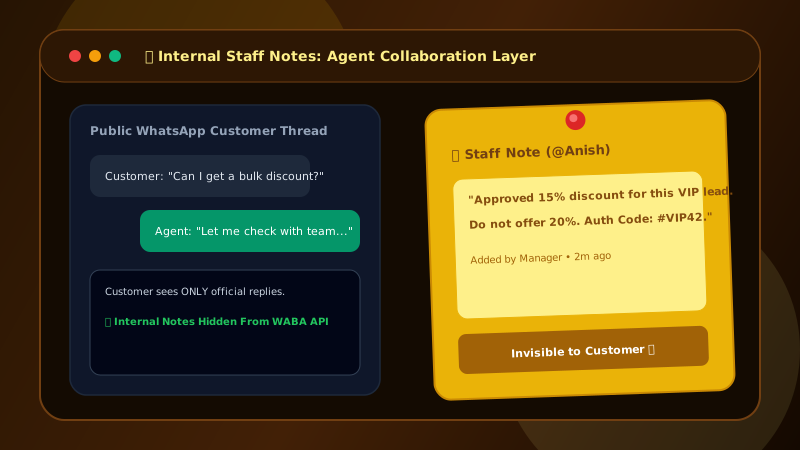
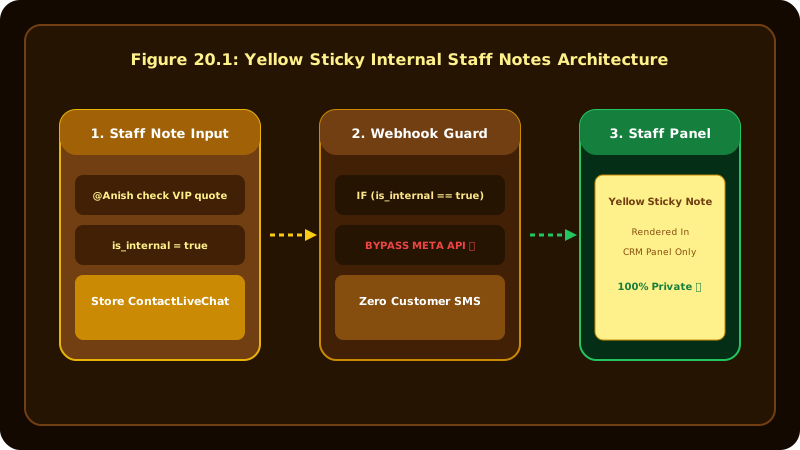
Support teams need a private way to communicate about customer accounts without revealing internal notes to clients. Patify provides internal staff notes (type = note) rendered as yellow sticky cards that bypass Meta API.
Table of Contents
The Need for Private Internal Collaboration
When multiple sales or support agents collaborate on a customer account, they need to share internal context—such as client budget, priority status, special handling requests, or past conversation notes. Sending these internal comments directly into the customer's WhatsApp thread would be disastrous.
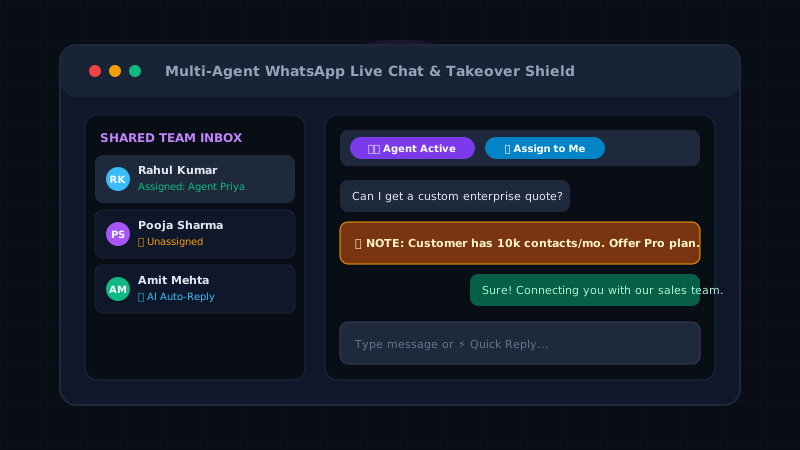
Private collaboration is especially critical when agents take over from AI bots using Patify's 1-Click Live Chat Takeover Shield, ensuring smooth transition without customer disruption.
How Internal Staff Notes Work in Patify
Patify introduces dedicated Internal Staff Notes directly inside the Live Chat drawer:
- Distinct Yellow Card Styling: Internal notes are formatted with a distinct amber/yellow sticky background (
type = 'note') to instantly distinguish them from regular customer messages. - Meta API Bypass: When an agent adds an internal note, Patify saves the record strictly in the local database. The message never dispatches to Meta Graph API and never appears on the customer's phone.
- Zero Meta Cost: Because internal notes bypass Meta API endpoints, they incur $0 Meta conversation charges!
- Shift Handoff Persistence: Notes persist in the conversation timeline, giving new agents instant context during shift changes.
- Automated Inbound Context: Leads captured via Universal Inbound Webhooks automatically generate initial staff notes detailing source IP, ad creative, and captured form fields.
Use Cases for Support & Sales Teams
- Shift Handoffs: Leave a note explaining the client's current status before handing off the shift to a colleague.
- Manager Approvals: Note custom discount approvals or special payment arrangements for team reference.
- Technical Escalation: Tag technical details for tier-2 engineers to review before responding to the customer. Learn how multi-agent teams coordinate in our Shared Live Chat Setup Guide.
Streamline Support Team Collaboration
Try Patify's shared live chat inbox with internal yellow sticky staff notes