How to Read WhatsApp Campaign Analytics: Sent, Delivered, Read & Replied Metrics Explained
Understanding the difference between Sent, Delivered, Read, and Replied rates helps you identify dead contacts, optimize template copy, and improve ROI on every subsequent broadcast.
Table of Contents
The 4-Stage WhatsApp Delivery Pipeline
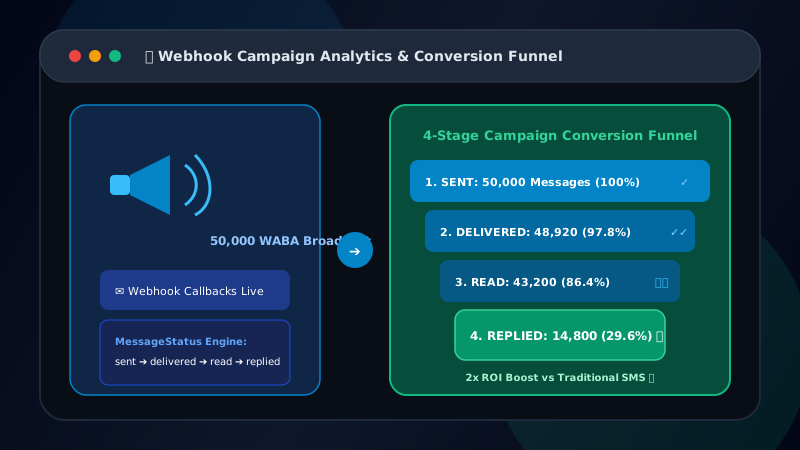
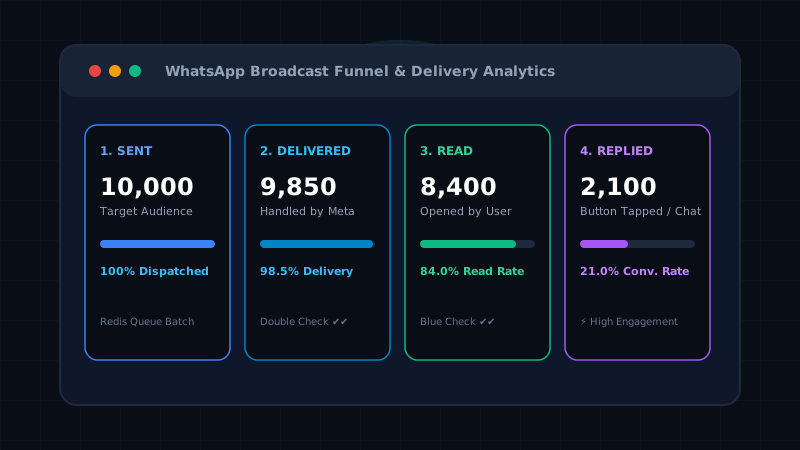
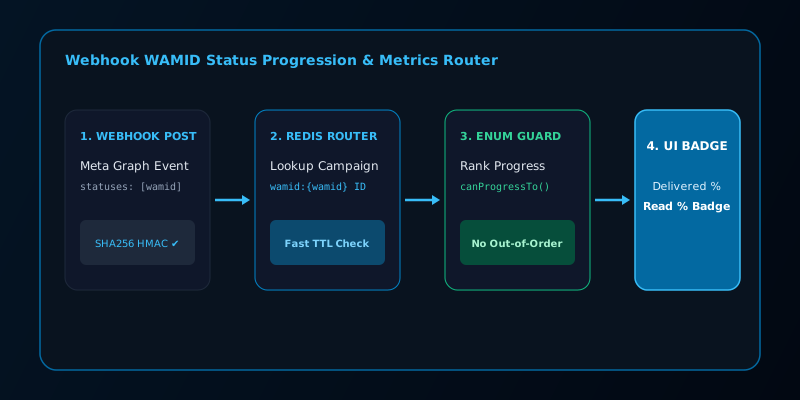
To maximize the ROI of your broadcast campaigns, you must understand how Meta tracks message lifecycle events. Every message passes through a specific pipeline, generating real-time analytics powered by Patify's MessageStatus Backed Enum and Redis WAMID router. For an in-depth dive into tracking WAMID state transitions via real-time webhooks, read our technical breakdown on reading delivery and read funnels.
1. Sent (Accepted by API)
What it means: The Meta Cloud API has accepted your payload and queued it for delivery to the carrier.
Red Flags: If your Sent rate is below 95%, you likely have a configuration error, an expired API token, or you are hitting Meta Tier limits.
2. Delivered (Arrived at Device)
What it means: The message has successfully reached the recipient's phone (double gray ticks). Rendered as real-time Delivered % badges in Patify's campaign resource.
Industry Benchmark: >92%
Red Flags: A Delivered rate below 85% is a major warning sign. It means your database is full of inactive numbers, uninstalled apps, or incorrect formats. You need to immediately review your contact list hygiene and E.164 formatting.
3. Read (User Opened Chat)
What it means: The recipient has opened the WhatsApp thread (blue ticks). Rendered as real-time Read % badges in Patify's campaign table.
Industry Benchmark: >60% for Marketing, >75% for Utility updates.
Optimization: This is the ultimate metric of brand trust and timing. If your read rates drop below 40%, you are either messaging at the wrong time of day, or your audience is experiencing "template fatigue."
4. Replied (Active Engagement)
What it means: The user replied with text or tapped a Quick Reply button.
Industry Benchmark: 5–15% for Marketing broadcasts.
Optimization: To skyrocket this metric, always include interactive CTA and Quick Reply buttons in your templates. Making it a "single tap" to respond dramatically increases conversions.
5. Failed (Permanent Error)
What it means: The number is invalid, not registered on WhatsApp, or the user has explicitly blocked your business.
Action Required: If a number returns a Failed status, it must be purged from your active broadcast list immediately to protect your Quality Rating.
A/B Testing Using Read Rates
Don't guess what works. Run A/B tests to small segments of your audience. Send Variant A to 500 contacts and Variant B to another 500. Wait 2 hours, check which template generated the highest Read and Replied rates, and dispatch the winner to the remaining 49,000 contacts.
Ready to Scale Your WhatsApp Marketing?
Access Meta WABA official API, automated broadcast campaigns, and multi-agent live chat for your enterprise.