Mastering Dynamic Template Variables: How to Personalize Mass Broadcasts in Patify
Personalization is essential for high engagement. Patify uses the TemplateVariableSource Backed Enum to map template parameters ({{1}}, {{2}}) directly to CONTACT_NAME, CONTACT_PHONE, or TENANT_NAME at runtime.
Table of Contents
The Power of Dynamic Personalization
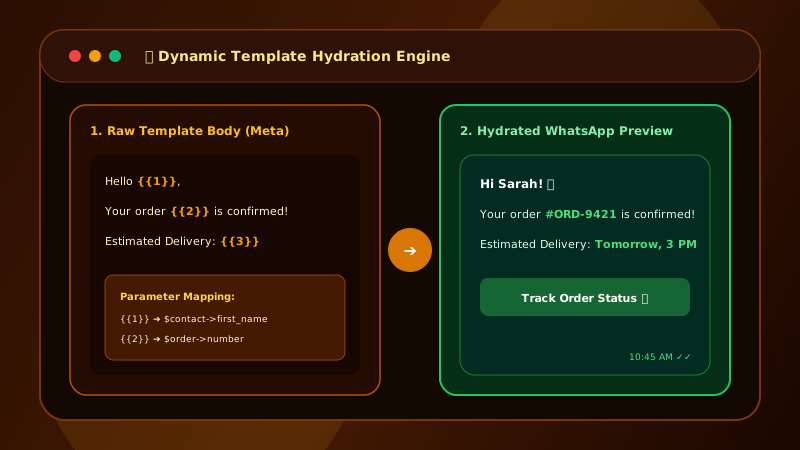
Generic mass messages get ignored. Messages personalized with the customer's name, order ID, or account status command immediate attention. In Meta WhatsApp Business API, placeholders like {{1}}, {{2}}, and {{3}} are used to inject dynamic variables into pre-approved message templates.
For a detailed walkthrough on setting up compliant templates without rejections, check our step-by-step guide on Submitting WhatsApp Templates to Meta.
How TemplateVariableSource Works in Patify
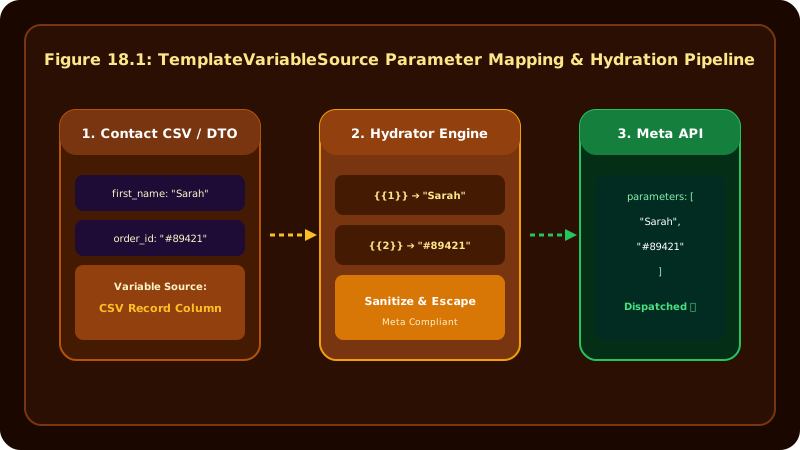
Patify simplifies template parameter mapping through the TemplateVariableSource Backed Enum inside the Campaign Builder:
CONTACT_NAME: Hydrates{{1}}with the recipient's full name (e.g., "Hi Rahul Kumar").CONTACT_PHONE: Hydrates{{2}}with the recipient's E.164 phone number.TENANT_NAME: Hydrates{{3}}with your brand's official organization name.
This dynamic hydration also integrates natively into multi-day campaigns. See our guide on Automated WhatsApp Drip Sequences to learn how personalized variables persist across message steps.
Dynamic Variable Hydration Matrix
The table below shows how raw template code is dynamically converted at dispatch runtime:
| Placeholder | Mapped Enum Source | Raw Template String | Hydrated Output Sent to Recipient |
|---|---|---|---|
{{1}} |
CONTACT_NAME |
"Hi {{1}}, welcome to {{3}}!" | "Hi Rahul Kumar, welcome to Patify Store!" |
{{2}} |
CONTACT_PHONE |
"Your number {{2}} is verified." | "Your number +919876543210 is verified." |
{{3}} |
TENANT_NAME |
"Thank you from {{3}} team." | "Thank you from Patify Store team." |
Meta Sample Value Rules
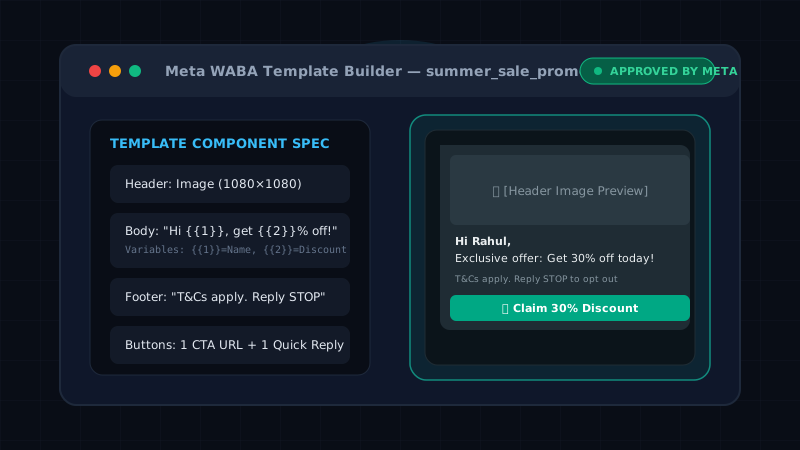
When submitting a new template to Meta for approval, you must provide realistic sample values for every variable placeholder. For example, if your template reads "Hi {{1}}, your booking {{2}} is confirmed", you must submit sample values like {{1}} = "Amit Sharma" and {{2}} = "BK-9082". Templates submitted without valid sample values are automatically rejected by Meta AI filters.
Personalize Your WhatsApp Broadcasts
Map contact attributes dynamically with Patify's 0% markup campaign builder